Wednesday, May 6, 2020

WiFi Hacking On Tablets

Disclaimer: Don't hack anything where you don't have the authorization to do so. Stay legal.

Ever since I bought my first Android device, I wanted to use the device for WEP cracking. Not because I need it, but I want it :) After some googling, I read that you can't use your WiFi chipset for packet injection, and I forgot the whole topic.

After a while, I read about hacking on tablets (this was around a year ago), and my first opinion was: 
"This is stupid, lame, and the usage of that can be very limited".

After playing one day with it, my opinion just changed: 
"This is stupid, lame, the usage is limited, but when it works, it is really funny :-)"

At the beginning I looked at the Pwn Pad as a device that can replace a pentest workstation, working at the attacker side. Boy was I wrong. Pwn Pad should be used as a pentest device deployed at the victim's side!

You have the following options:
  1. You have 1095 USD + VAT + shipping to buy this Pwn Pad
  2. You have around 200 USD to buy an old Nexus 7 tablet, a USB OTG cable, a USB WiFi dongle (e.g. TP-Link Wireless TL-WN722N USB adapter works).


In my example, I bought a used, old 2012 Nexus WiFi. Originally I bought this to play with different custom Android ROMs, and play with rooted applications. After a while, I found this Pwn Pad hype again and gave it a shot.

The Pwn Pad community edition has an easy-to-use installer, with a proper installation description. Don't forget to backup everything from your tablet before installing Pwn Pad on it!

I don't want to repeat the install guide, it is as easy as ABC. I booted a Ubuntu Live CD, installed adb and fastboot, and it was ready-to-roll. I have not measured the time, but the whole process was around 20 minutes.


The internal WiFi chipset can be used to sniff traffic or even ARP poisoning for active MiTM. But in my case, I was not able to use the internal chipset for packet injection, which means you can't use it for WEP cracking, WPA disauth, etc. This is where the external USB WiFi comes handy. And this is why we need the Pwn Pad Android ROM, and can't use an average ROM.

There are two things where Pwn Pad really rocks. The first one is the integrated drivers for the external WiFi with monitor mode and packet injection capabilities. The second cool thing is the chroot wrapper around the Linux hacking tools. Every hacking tool has a start icon, so it feels like it is a native Android application, although it is running in a chroot Kali environment.

Wifite

The first recommended app is Wifite. Think of it as a wrapper around the aircrack - airmon - airodump suite. My biggest problem with WEP cracking was that I had to remember a bunch of commands, or have the WEP cracking manual with me every time I have to crack it. It was overcomplicated. But thanks to Wifite, that is past.

In order to crack a WEP key, you have to:
  1. Start the Wifite app
  2. Choose your adapter (the USB WiFi)

  3. Choose the target network (wep_lan in the next example)
  4. Wait for a minute 
  5. PROFIT!

SSH reverse shell

This is one of the key functionalities of the Pwn Pad. You deploy the tablet at the Victim side, and let the tablet connect to your server via (tunneled) SSH.

The basic concept of the reverse shells are that an SSH tunnel is established between the Pwn Pad tablet (client) and your external SSH server (either directly or encapsulated in other tunneling protocol), and remote port forward is set up, which means on your SSH server you connect to a localport which is forwarded to the Pwn Pad and handled by the Pwn Pad SSH server.

I believe the best option would be to use the reverse shell over 3G, and let the tablet connect to the victim network through Ethernet or WiFi. But your preference might vary. The steps for reverse shells are again well documented in the documentation, except that by default you also have to start the SSH server on the Pwn Pad. It is not hard, there is an app for that ;-) On your external SSH server you might need to install stunnel and ptunnel if you are not using Kali. The following output shows what you can see on your external SSH server after successful reverse shell.

root@myserver:/home/ubuntu# ssh -p 3333 pwnie@localhost
The authenticity of host '[localhost]:3333 ([127.0.0.1]:3333)' can't be established.
ECDSA key fingerprint is 14:d4:67:04:90:30:18:a4:7a:f6:82:04:e0:3c:c6:dc.
Are you sure you want to continue connecting (yes/no)? yes
Warning: Permanently added '[localhost]:3333' (ECDSA) to the list of known hosts.
pwnie@localhost's password:
  _____      ___  _ ___ ___   _____  _____ ___ ___ ___ ___
 | _ \ \    / / \| |_ _| __| | __\ \/ / _ \ _ \ __/ __/ __|
 |  _/\ \/\/ /| .` || || _|  | _| >  <|  _/   / _|\__ \__ \
 |_|   \_/\_/ |_|\_|___|___| |___/_/\_\_| |_|_\___|___/___/

 Release Version: 1.5.5
 Release Date: 2014-01-30
 Copyright 2014 Pwnie Express. All rights reserved.

 By using this product you agree to the terms of the Rapid Focus
 Security EULA: http://pwnieexpress.com/pdfs/RFSEULA.pdf

 This product contains both open source and proprietary software.
 Proprietary software is distributed under the terms of the EULA.
 Open source software is distributed under the GNU GPL:
 http://www.gnu.org/licenses/gpl.html

pwnie@localhost:~$

Now you have a shell on a machine that is connected to the victim network. Sweet :) Now Metasploit really makes sense on the tablet, and all other command-line tools.

EvilAP and DSniff

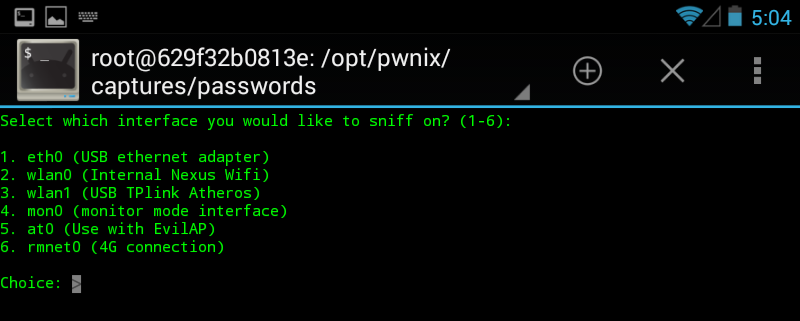
Start EvilAP (it is again a wrapper around airobase), choose interface (for me the Internal Nexus Wifi worked), enter an SSID (e.g freewifi), enter channel, choose whether force all clients to connect to you or just those who really want to connect to you, and start.


The next step is to start DSniff, choose interface at0, and wait :) In this example, I used a popular Hungarian webmail, which has a checkbox option for "secure" login (with default off). There are sooo many problems with this approach, e.g. you can't check the certificate before connecting, and the login page is delivered over HTTP, so one can disable the secure login checkbox seamlessly in the background, etc. In this case, I left the "secure" option on default off.


In the next tutorial, I'm going to show my next favorite app, DSploit ;)

Lessons learned

Hacking has been never so easy before
In a home environment, only use WPA2 PSK
Choose a long, nondictionary passphrase as the password for WPA2
Don't share your WiFi passwords with people you don't trust, or change it when they don't need it anymore
Don't let your client device auto-connect to WiFi stations, even if the SSID looks familiar

I believe during an engagement a Pwn Plug has better "physical cloaking" possibilities, but playing with the Pwn Pad Community Edition really gave me fun moments.

And last but not least I would like to thank to the Pwn Pad developers for releasing the Community Edition!


More articles

  1. Seguridad Y Hacking
  2. Rfid Hacking
  3. Hacking Etico 101 Pdf
  4. Wargames Hacking
  5. Curso Seguridad Informatica
  6. Curso De Hacking Etico Gratis

DOWNLOAD BLACK STEALER V2.1 FULL

BLACK STEALER V2.1 FULL

Black Stealer v2.1 is an advanced keylogger that can steal even saved passwords from the browsers and sends through Email and FTP. It's really easy to the crypt. Keylogger is a computer program that is a type of surveillance technology used to monitor and record each keystroke typed on a specific computer's keyboard by the user, especially in order to gain unauthorized access to the passwords and other confidential information. It's also called a keystroke logger or system monitor. Download black stealer v2.1 full.

DOWNLOAD BLACK STEALER V2.1 FULL

Related news

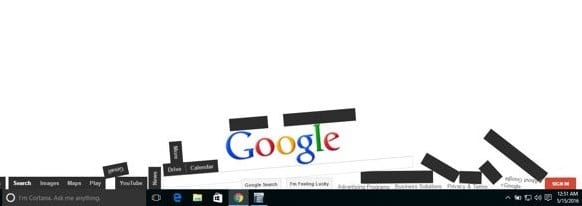
Top 10 Best Google Gravity Tricks 2018

Best Google Gravity Tricks 2018

Top 10 Best Google Gravity Tricks 2018

Google is the search engine where the people look up for the things. Yet apart from being only a search engine this website is highly functional and has a lot of functions dubbed inside it. And even the webmasters don't know about all the features as they are so vast that you need to explore lots of things to get to know about them all.  There are a number of gravity opposing tricks in the Google search page that you would like to enjoy. Well many of you guys must be new to this word as only 15% of Google users know this thing and for rest, I'm here to guide you up in this. Here in this article, we have written about the best google gravity tricks that you could ever find in this year. If you are interested to know about it then please read the main section of this post as it is given below. This was all the introduction part of this post and now after this line, we are going to skip to the main section. We recommend you to read till the end to get the fullest information from this page!

Top 10 Best Google Gravity Tricks 2018

Below I have mentioned some of the best tricks that I tried as I was getting bored and thought about exploring something new and then I searched Google Tricks on google and then I get to know that even these things are also possible on the Google. You can use so many different things to kill your boredom on Google. There I decided to note down these tricks and share the article with you so that you can also avail these. So follow the below guide to proceed.

#1 Google zero gravity level fall

Best Google Gravity Tricks 2018
This is the first trick that amazed me as when I get to know this thing can happen when I was really surprised as it was quite funny. It is a standout amongst the most astonishing google gravity trap. In this trap, the substance will appear like tumbling to a level surface. Every one of the substances like pictures, writings, and so on of your page will be upset. They will look somewhat bouncy and turned around that looks exceptionally energizing and stunning.

#2 Google Sphere

Best Google Gravity Tricks That You Need To Try
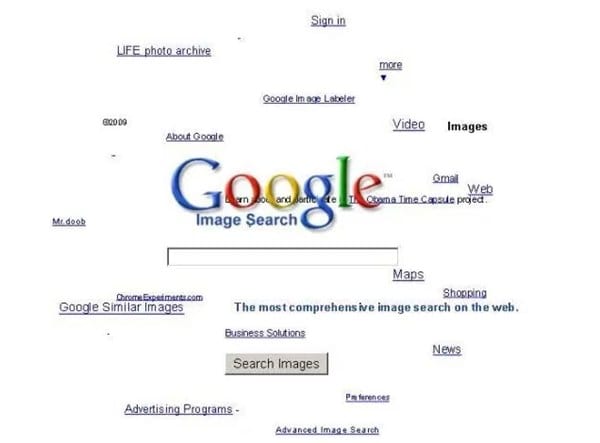
This is second best google gravity trap. In this trap, the substance rotates in a round way. Be that as it may, you will think that its little hard to deal with it since you need to chip away at turning writings.

#3 Google Loco

Best Google Gravity Tricks That You Need To Try
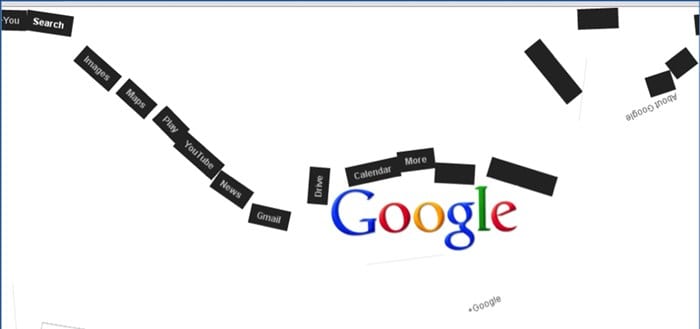
This google gravity trap is much like the google zero gravity. You will see the substance as falling in a seismic tremor,

#4 Zerg Rush

Best Google Gravity Tricks That You Need To Try
This is one of my most loved google gravity trap. In this deceive you will see somewhere in the range of zeros spreading in your page. to utilize this trap Open Google.com and hunt Zerg Rush through utilizing the search bar.

#5 Google submerged

Best Google Gravity Tricks 2018
This is of the most attractive google gravity trap. In this deceive you will see a domain of submerged. You will see the pursuit bar coasting in the water.

#6 Do a barrel roll

Best Google Gravity Tricks That You Need To Try
This is likewise an astounding google gravity trap. In this deceive, you will get an impact to your page with which, your page will turn in a solitary minute.

#7 Google Guitar

Best Google Gravity Tricks That You Need To Try
This is additionally a stunning google gravity trap. In this deceive, you can play guitar on the web index. You can play your coveted tunes with it. Google will give you notes to your tunes.

#8 Google zero gravity reversal

Best Google Gravity Tricks 2018
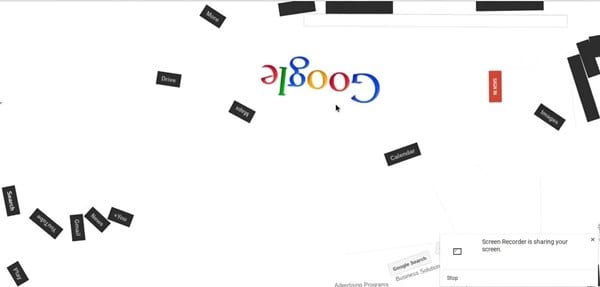
This is one of the coolest Google gravity trap. In this deceive, you will get a perfect representation of your site page. You will feel like you are on the opposite side of the screen.

#9 Google space

Best Google Gravity Tricks That You Need To Try
In this google gravity deceive you encounter a dream of the room. It implies that the substance of your page will appear like gliding noticeable all around with no gravitational power.

#10 Pacman

Best Google Gravity Tricks That You Need To Try
Best Google Gravity Tricks 2018 That You Need To Try
This is the standout amongst the most energizing google gravity trap. With this deceive, you can play Pacman game in this.
Finally, after reading this article, you have got to know about. We have tried to provide you this content in the simple and easy to read wordings and hope that you would have easily got about everything written up here. We believe that you might like this article and if it is what you think then please try to share it with others too. Your indulgence in our post is really valuable to us, so do not miss to write about your opinions and suggestions regarding this article through using the comments section below. At last but never the least thanks for reading this article!
More articles

Tuesday, May 5, 2020

How To Change Facebook’s Default Theme To Any Color You Want

Change Facebook Theme Using Chrome Extension

How To Change Facebook's Default Theme To Any Color You Want

We are going to share an interesting trick on changing your Facebook default theme. You just need a Google Chrome extension to perform this trick. If you are among me who feels very fatigued with the look of Facebook's by default theme then this is a must-see post because you will find out the easiest trick to make your facebook more attractive than before.

Facebook is a social networking site which empowers people to connect with friends and people around. That's how Facebook is habitually introduced. However, Facebook is beyond the need of being introduced as almost everyone is on it.
   A couple of Days ago I was simply Surfing Google Chrome website and I somehow stumbled upon a Chrome Extension. Yes, a Chrome extension that will give your Facebook a Whole new look. I was apprehensive to try it, So I just installed it and checked my facebook. I was astonished to see my facebook homepage have all new look. I found it refreshing and decided to write steps on How to Change Facebook Themes using Chrome Extension.

How To Change Facebook's Default Theme To Any Color You Want

If You are among me who feels very fatigued with the look of Facebook's by default theme then this is a must-see post, Because you will find out the easiest trick to make your facebook more attractive than before. Simply follow the steps to know about it.

How to Change Facebook Theme Using Chrome Extension

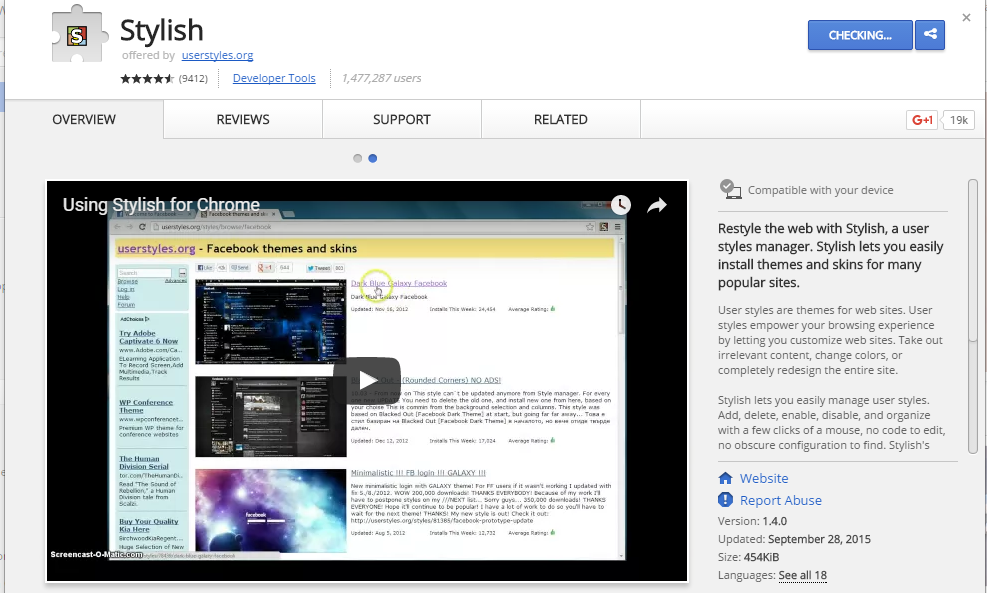
Step 1. Install Stylish for Chrome from the Chrome Web Store. It will take hardly a minute to get installed in your Chrome browser.
Change Facebook Theme Using Chrome Extension
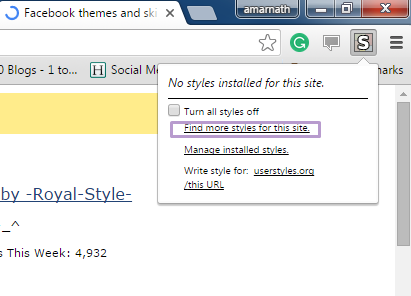
Step 2. Navigate to Facebook.com and click on the S button. Click on Find Styles for this Site to open a new tab with free themes to use for Facebook. Most of the themes are free and attractive too you can easily browse over the full website to discover your favorite theme.
Change Facebook Theme Using Chrome Extension
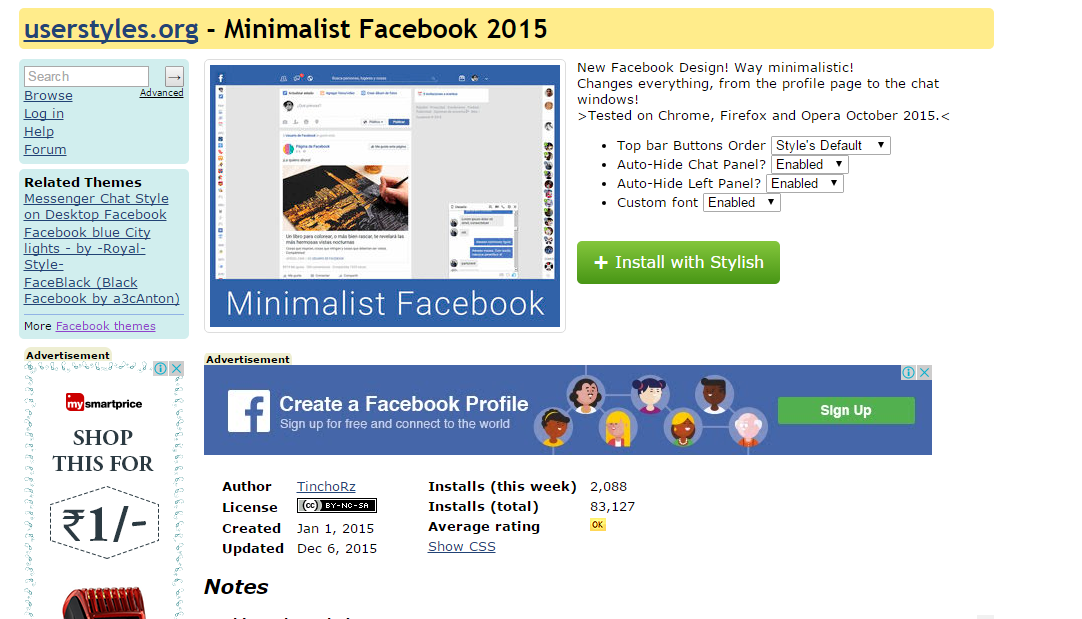
Step 3. Now You will be redirected towards https://userstyles.org Guess what! This site contains huge numbers of Facebook themes, One thing is for sure that you will be confused in-between what to select and which one to skip. Select any them and click on it. Now you will be given a full preview of your selected theme.
Change Facebook Theme Using Chrome Extension
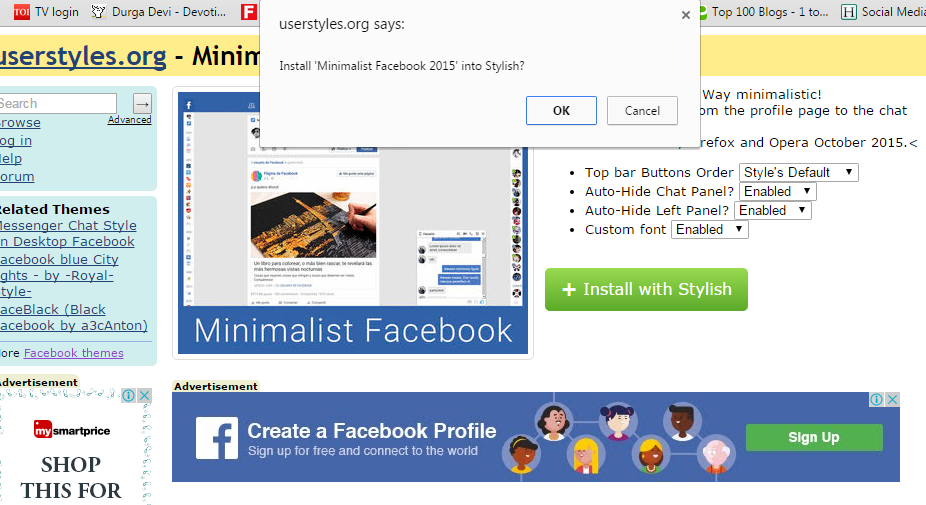
Step 4. If everything is fine in the previewed theme, click on Install with Stylish button at the top right corner of the page. It will take few seconds or minutes depends on your theme size to be installed in Stylish Extension, once installed you will be notified with a success message.
Change Facebook Theme Using Chrome Extension
Step 5. Now whenever you open Facebook, it will show the theme that you have installed with Stylish instead of the boring old blue theme.
Change Facebook Theme Using Chrome Extension
Continue reading
  1. Hacking School
  2. Software Hacking
  3. Life Hacking
  4. Curso Hacking Etico
  5. Experto En Seguridad Informática
  6. Hacking Hardware Tools
  7. Hacking Videos

OpenVAS


"OpenVAS stands for Open Vulnerability Assessment System and is a network security scanner with associated tools like a graphical user front-end. The core is a server component with a set of network vulnerability tests (NVTs) to detect security problems in remote systems and applications." read more...

Continue reading


  1. Hacking Videos
  2. Udemy Hacking
  3. Que Es Un Hacker
  4. Penetration Testing A Hands-On Introduction To Hacking
  5. Certificacion Ethical Hacking
  6. Que Es Un Hacker
  7. Hacking Hardware
  8. Elhacker Ip
  9. Hacking Wifi Android
  10. Curso De Hacking Etico Gratis

Friday, May 1, 2020

Long WHC Weekend (Part II)


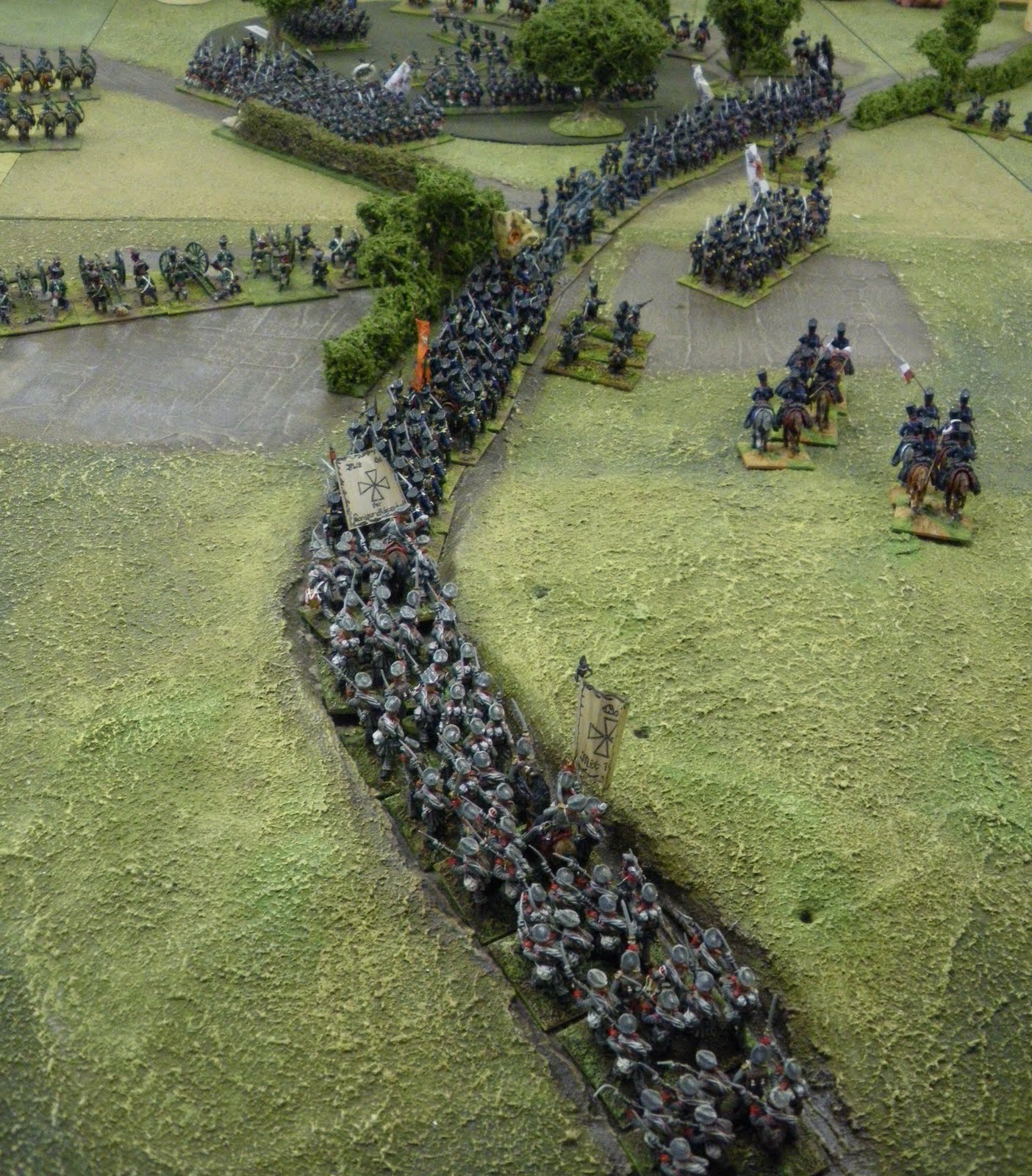
The Allied right early in the game. Looks reasonably secure at this point.
So to continue the narrative of last weekend, we carried on with the made-up (before you all go Google-crazy) battle of Goerlitz. This is what I call a "Mike reinforcing" battle. (at least, I assume it is one of Ingham's). Mike does like to design scenarios where one or often both sides receive their reinforcements gradually throughout the battle, usually on a simple die-roll (turn number + 3 average die), and coming on to the table at pre-designated entry points. This means (horror of horrors!) that wargamers actually have to come up with a plan in advance, and then pretty much stick to it. It's one of the strengths of the vastness of the holiday centres' table. Its no use deciding to bring on a formation in one area of the battle and then attempt to march it (even with tactical moves) from one end of the table to the other. It will rarely get there. 
Decide where it's going, decide what it's job is, decide what happens after that (amazing how many wargamers are utterly incapable of this).
Anyway, down below are the respective OB's - many apologies but I don't have a map.
Allied OB

French OB
The French therefore had a mountain of cavalry (15 regts!) and hardly any infantry (a paltry 16 btns) on the table to begin with. The allies could muster a 2 to 1 advantage in infantry and almost parity in numbers of cavalry figures(though not in regts/sqdns). The French did have the advantage of a reasonable defensive line. A large sector of their front was covered by hedges and woods which would prevent the Allies from pushing forwards quickly, and they controlled 3 key villages. The central one was on a hill and dominated proceedings, particularly the road net in the sector where the Russian Guard infantry would eventually appear. So this had to be cleared in good time to allow some of the key re-inforcements to move up.
It was garrisoned by the Polish infantry division, just 8 btns, a hussar regt and a battery. The infantry were a bit good though, for although they moved and fired as line (+3), they tested morale as if they were all elite (+5). Tough little critters.
I was up against this with 14 ropey old Russian btns, a light cavalry regt and a big old Russian 6 pdr battery. 
In the event it was a really tough fight. 4 Russian btns went right with half the skirmishers to clear a wood with just a single Polish btn in it, the outcome of this was rarely in doubt but it slowed me down a little which I'm sure was the general idea.
Around the village the Russian battery engaged the French in counter-battery fire and the French quickly realised they were on a loser and retired out of sight of the Russian battery which then switched it's fire to the village and the units around it in support. It did sterling work! and inflicted hefty losses on the Poles. Not that they seemed to care. Even with the infantry testing as Elite, Nick blithly rolled high roll after high roll for their morale tests. After about 8 or 9 turns I got the Russian attack against the village set up. It should have been a walkover, and in some ways it was. I had 8 btns going in against just 4 Polish, and I won all 3 melee phases, the Poles were well and truly stuffed. Naturaly they just passed morale meaning I bounced ...

My first attack against the Polish held village, after a massive morale roll, the Poles held, but the losses they had taken in the process meant they couldn't stand for long.
This was the begining of the end for the Polish division, as the 4 units which has defende the village were thoroughly exhausted, being almost at 50% strength. I had 2 units badly damaged, and 3 more with minor losses. A few more turns saw the rest of the Polish division eliminated as they made a series of brave but piece-meal attacks.
Elsewhere the Prussians were arriving and were embroiled in fighting over the hedgerows, on the extreme left the other Russian corps was pushing forwards supported by the Russian cavalry corps which was destroying any French cavalry in it's path.
Prussian columns move up in the Allied centre, the wood in the top of the picture finally having been cleared of pesky Poles
 Then the French started arriving in numbers. However, they all turned up on the flanks! division after division. I had pushed my cossacks forwards in a smart-ass move to sit on the roads I just KNEW the French reinforcements would arrive on in order to strengthen their (now destroyed)
centre. They never appeared, just more and more on the western and eastern edges. They were inexorably pushing back on the eastern flank, despite the Prussian's best efforts, having beaten off the French to their front. The Russians on the western flank told a similar story, with the French guard now lined up against them.
The "Polish" village in the top left, Prussians advancing in the centre, relieving the Austrian advanced guard in the foreground. French infantry move up to (temporarily) occupy the hedgerows 
In the centre the Russian guard infantry had streamed into the gap left by the Poles, and lined up alongside Pahlen's victorious cavalry. There was a brisk, one-sided fight as the Russians mopped up 4 btns who were  still in their sector. They settled down (supported by 3 batteries) to await the French Guard.
The Russian reserve cavalry appeared on the left but never really got going while it's front was covered in routers from Eugen's corps. That was the situation at turn 26 (not bad going) when the game ended. As for the result?
I'm not sure..drawish erring on the side of the French, but at a massive cost.
. Although the French were in a slightly better position they had incurred enormous casualties, both in infantry and cavalry. All in all a fine game and a great week-end.
There is one more thing I need to tell you about the weekend, avid readers here will recall I was intending to purchase a few figures from Mike..this I did,  but that will have wait for a few days, when I will have pictures aplenty.

Free Web Site Counter
Free Counter

Griffon's Keep - A Battle Map For AD&D/Roll20

To keep my games alive, I've pivoted to online/virtual tabletop play. To help make the games feel more personal, I purchased a yearly subscription to Zoom. (If you do this, use the coupon code and save some money!) Last night, my Western Borders group got together on Zoom, and it worked great! Both video and audio quality were clear. It was wonderful to see my online players for the first time!

As a surprise, I wanted to give the Western Borders folks a better experience in their current quest. They've been battling the inhabitants of Griffon's Keep (a ruined castle complex deep in the forests) for nearly a calendar year, and they are getting close to the finish. So, I did a bit of research and bought a copy of DungeonDraft. This is a very easy-to-use piece of software that makes creating these top-down maps a cinch. If you've used Wonderdraft - the world-mappiung software, you're familiar with "Megasploot" and their coding. DungeonDraft is similar in approach.

Here's Griffon's Keep as seen in Roll20!


Yes, that's the Moathouse in the lower left, recast as the keep's gatehouse!

This map is huge, but if you'd like to use it for your own games, I've put a version up on Google Drive for you - just click this link. https://drive.google.com/open?id=10XMdJsb49tC03Cwf0-IxuqTQ4JO57Ve9

I also have interiors, and I'll release them once the PCs are done vanquishing the necromancers and evil-doers within!